SOLANA LABS LEAP / IPHONE BETA
How to join Leap:
referral code & TestFlight guide
Use a Leap referral link to begin, then finish the email, TestFlight, app and in-app code steps. This visual guide shows the six-step Leap Founders Club signup and how to pass your own link and invite code to the next person.
A referral link starts signup. The invite code comes later.
The link and the in-app code are different parts of the Leap referral flow. Register first; after the email and app steps, enter the previous participant’s code when Leap asks. Once your own code appears in the app, share it with your referral link.
Join the Leap Founders Club in 6 steps
For iPhone beta access. Follow the latest instructions in your official email and the Leap app.
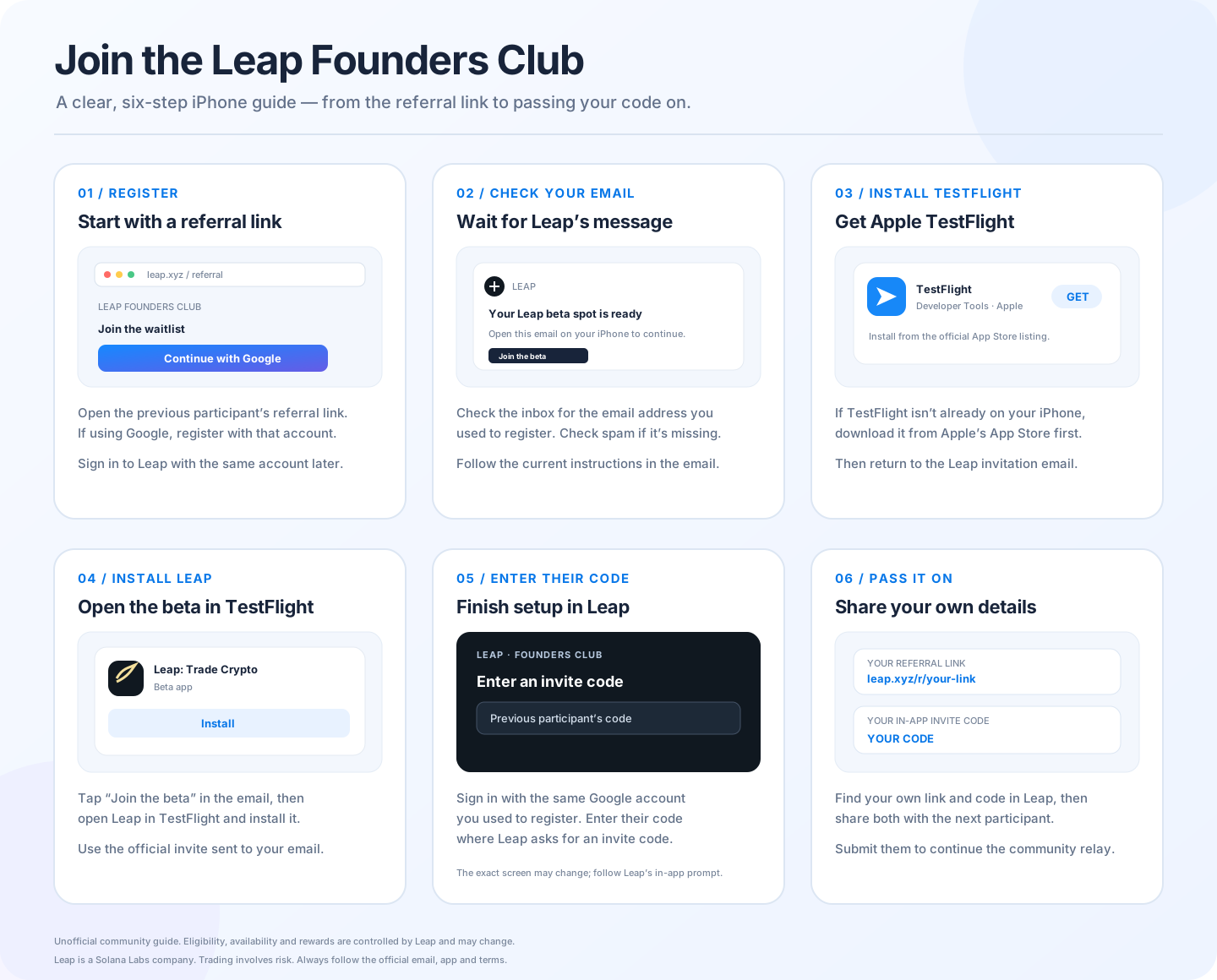
How to join the Leap beta on iPhone
The Leap app by Solana Labs uses a referral link for the registration flow and an in-app invite code later. Keep access to the email account you register with.
Open the previous participant’s Leap referral link and finish registration or waitlist signup. If you register with Google, use the same Google account when you sign in to Leap.
Wait for the official Leap beta email in the inbox you registered. Check spam or promotions folders, and follow the email’s current instructions.
On your iPhone, install Apple’s TestFlight app from the App Store if you have not already installed it.
Get TestFlight from Apple ↗Open the Leap invitation from the email on your iPhone. Continue to TestFlight and install the Leap beta using the invitation instructions.
Open Leap and sign in with the same Google account you used to register. Enter the previous participant’s in-app invite code wherever Leap asks for it; the screen may change.
Find your own referral link and in-app invite code in Leap, then share both with the next person. You can submit them to InviteRelays to continue the community relay.
Submit your referral link and code →Leap referral link vs. in-app invite code
Opens Leap’s registration or waitlist flow and connects the signup to the person who shared the link.
Entered after you can access Leap, following the prompt in the app. Then you can share your own code with the next participant.
InviteRelays is an independent community guide. It does not confirm account eligibility, task completion, invite availability or reward status.
Leap referral code and TestFlight FAQ
What is the difference between a Leap referral link and an invite code?
The referral link starts registration or waitlist signup. The in-app invite code is a separate step after you get access to Leap. In this community relay, participants share both with the next person.
Does clicking a Leap referral link finish the signup?
No. Check the official email, install TestFlight and Leap, and follow Leap’s in-app prompt for the previous participant’s code.
How do I get the Leap beta on iPhone?
Register through a Leap referral link, wait for the official email, install Apple TestFlight, then open the beta invitation and install Leap through TestFlight.
Where do I enter the previous person’s Leap invite code?
Sign in to Leap and enter it wherever the app asks for an invite code. The exact screen can change, so use the latest in-app instructions.
Is Leap available in every country? Are referral rewards guaranteed?
No. Availability, eligibility and referral rewards depend on Leap’s current terms and regional restrictions. Check the official Leap app, website and referral terms.
What if I have not received the TestFlight email?
Check the email address used to register, including spam folders. If it still has not arrived, revisit the official Leap site or waitlist for current access instructions.
Check the current Leap instructions
Leap is a Solana Labs company. Availability, eligibility and referral benefits can change and may vary by region. Trading digital assets and tokenized instruments involves risk. Check Leap’s official app, website and terms.
Back to InviteRelays →